



📌 Overview
This project demonstrates how unauthorized TOR Browser usage manifests in Microsoft Defender for Endpoint (MDE) telemetry and how that activity can be identified through proactive threat hunting using Advanced Hunting (KQL). The objective of this lab is to showcase SOC-style investigation skills, including endpoint telemetry validation, file, process, and network event correlation, and clear documentation of findings to support detection, response, and policy enforcement decisions.
Goal: Demonstrate SOC-style threat hunting by validating endpoint telemetry, correlating file, process, and network activity, and documenting findings in a clear, analyst-ready format.
🧰 Environment
🧭 Investigation Scope & Coverage
This investigation focused on detecting unauthorized anonymization software usage on a managed Windows endpoint by validating Microsoft Defender for Endpoint’s visibility across file, process, and network telemetry. The goal was to confirm that TOR-related activity could be reliably identified, correlated, and investigated using Advanced Hunting.
🔥 Simulated Unauthorized TOR Activity
This section documents a complete, end-to-end SOC-style investigation into unauthorized TOR Browser usage on a managed Windows endpoint. The activity was intentionally designed to reflect policy-violating anonymization behavior that may bypass traditional alerts but still represents a monitoring, compliance, and potential data exfiltration risk.
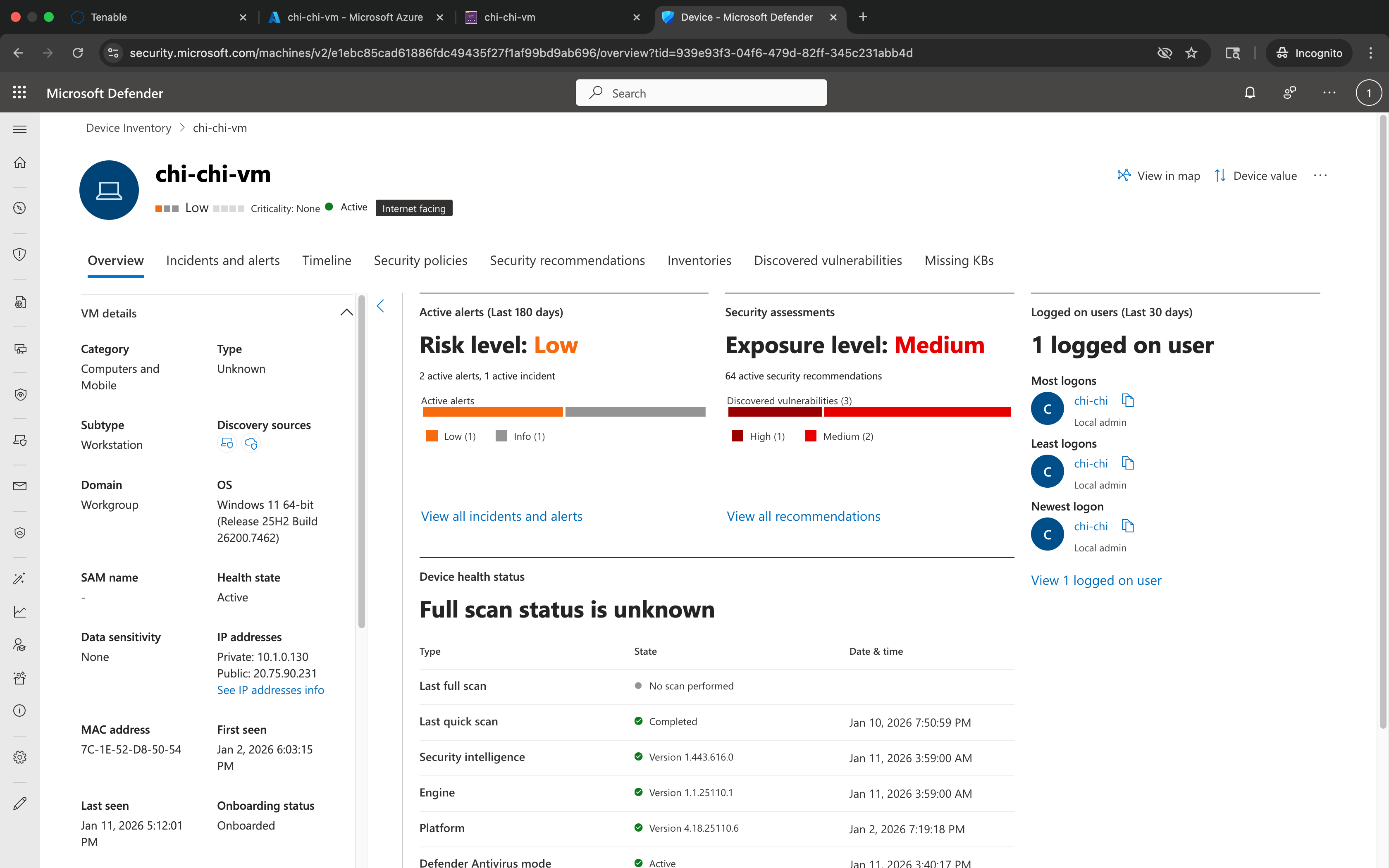
1.1 Validate Device Visibility
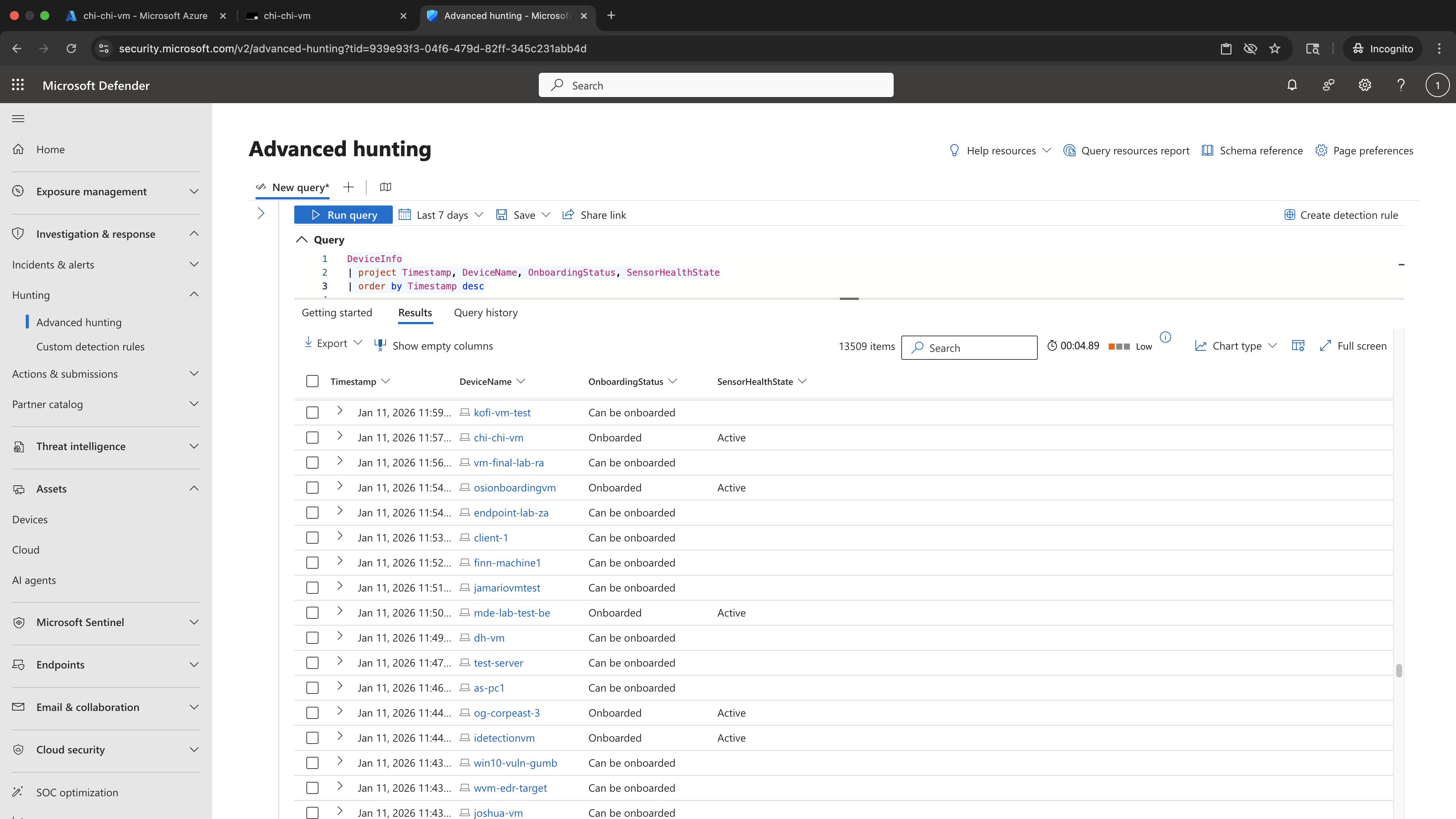
Validated that the Windows endpoint was onboarded and actively reporting to Microsoft Defender for Endpoint. This step establishes investigative ground truth by confirming that telemetry ingestion is functioning before performing any threat-hunting queries, ensuring subsequent findings are reliable and actionable.
PowerShell Commands
# Validation performed in Microsoft Defender portal (no local command)PowerShell Evidence Screenshot
KQL Query
DeviceInfo
| project Timestamp, DeviceName, OnboardingStatus, SensorHealthState
| order by Timestamp desc
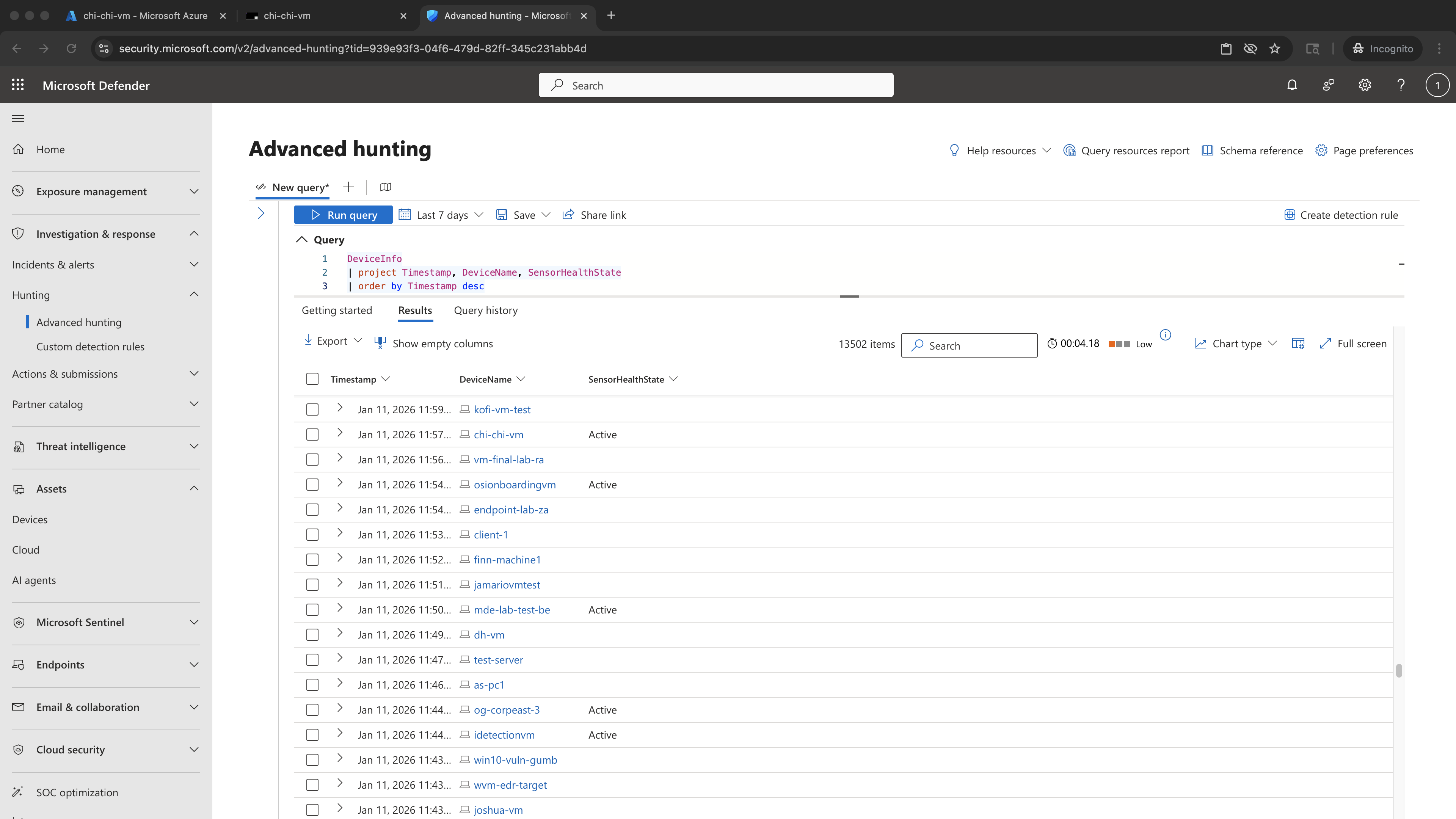
KQL Results Screenshot — KQL_DeviceInfo_Device_Visibility
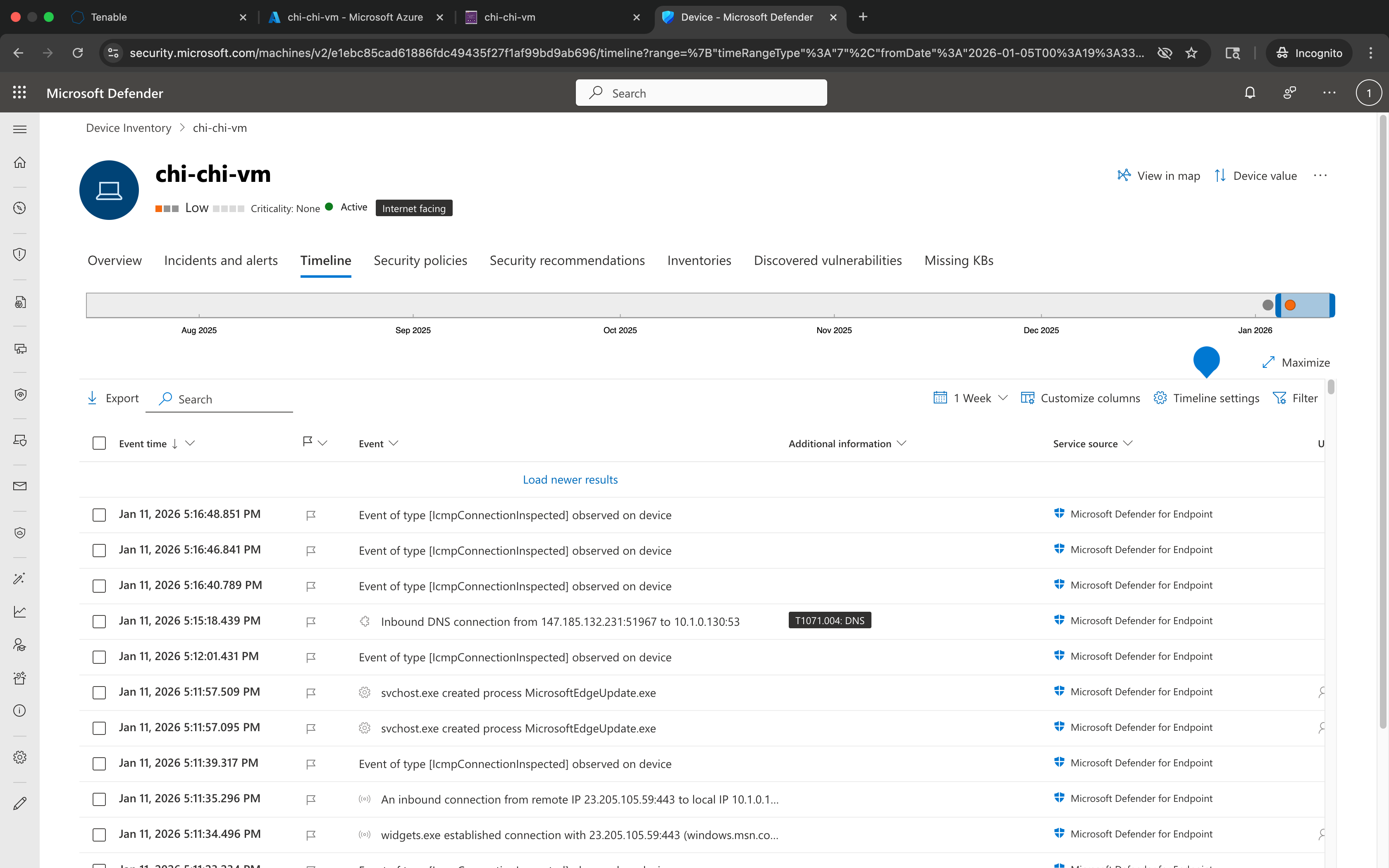
1.2 Confirm Defender Sensor Running
Verified that the Microsoft Defender Sense service was running on the endpoint to confirm endpoint detection and response (EDR) coverage. Sensor health validation ensures that file, process, and network events generated later in the lab are accurately captured and available for advanced hunting.
PowerShell Commands
Get-Service -Name SensePowerShell Evidence Screenshot
KQL Query
DeviceInfo
| project Timestamp, DeviceName, SensorHealthState
| order by Timestamp desc
KQL Results Screenshot — KQL_DeviceInfo_Sensor_Health
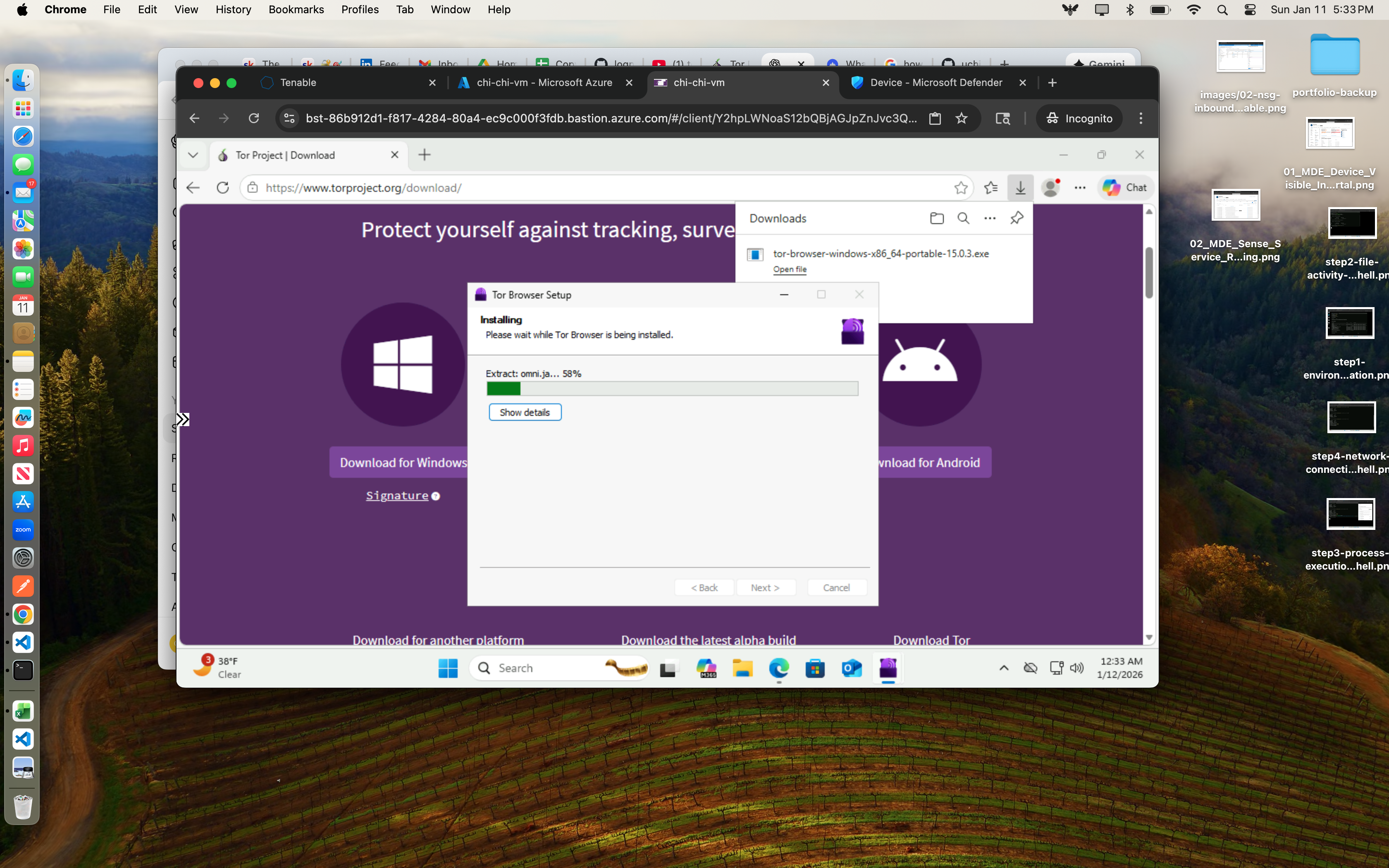
1.3 Download TOR Installer
Downloaded the TOR Browser installer to generate file creation and download telemetry. This activity simulates the initial introduction of unauthorized anonymization software into an enterprise environment and establishes the first observable indicator of policy-violating behavior.
PowerShell Commands
# TOR installer downloaded via browserPowerShell Evidence Screenshot
KQL Query
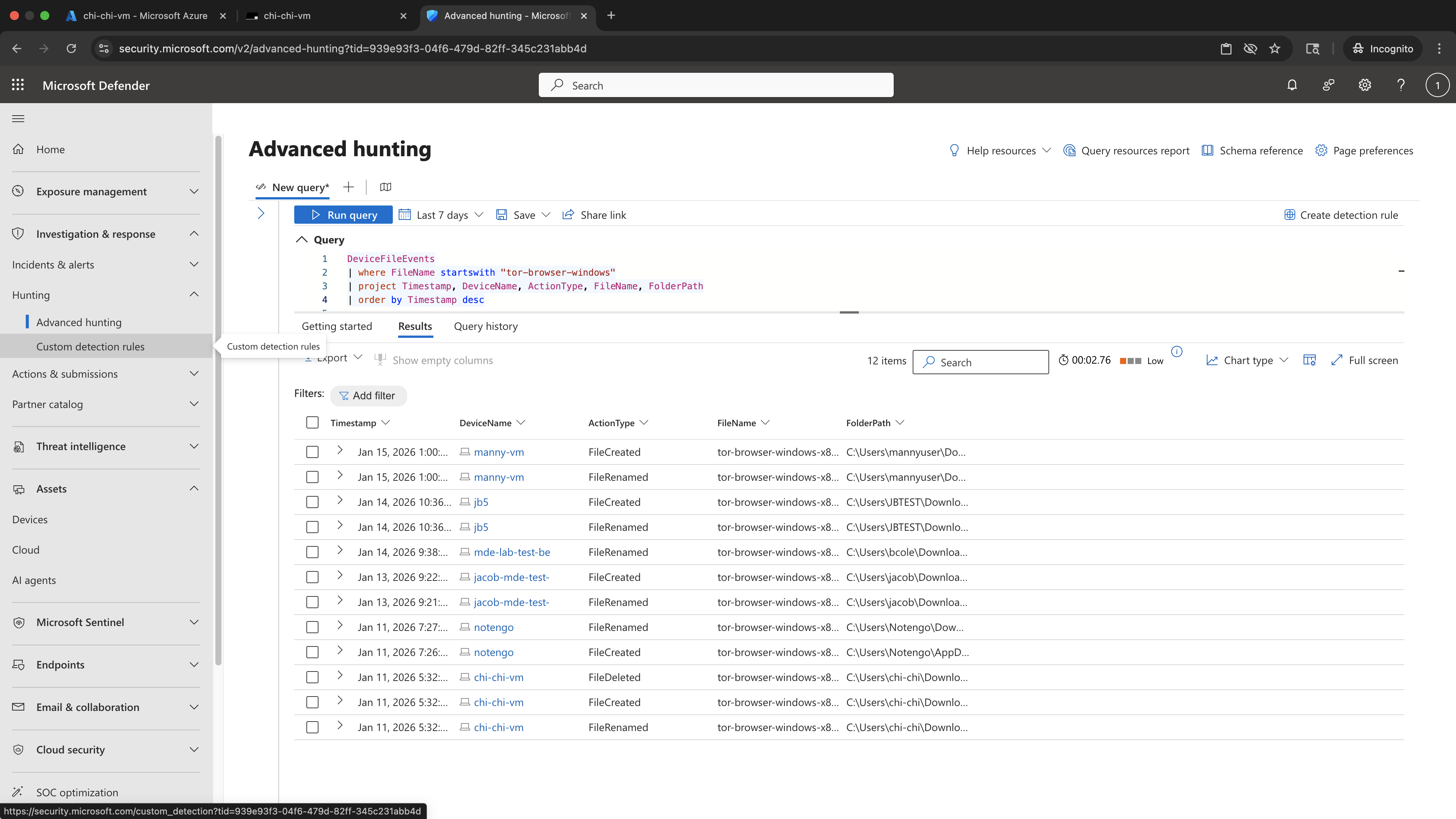
DeviceFileEvents
| where FileName startswith "tor-browser-windows"
| project Timestamp, DeviceName, ActionType, FileName, FolderPath
| order by Timestamp desc
KQL Results Screenshot — KQL_DeviceFileEvents_TOR_Installer_Download
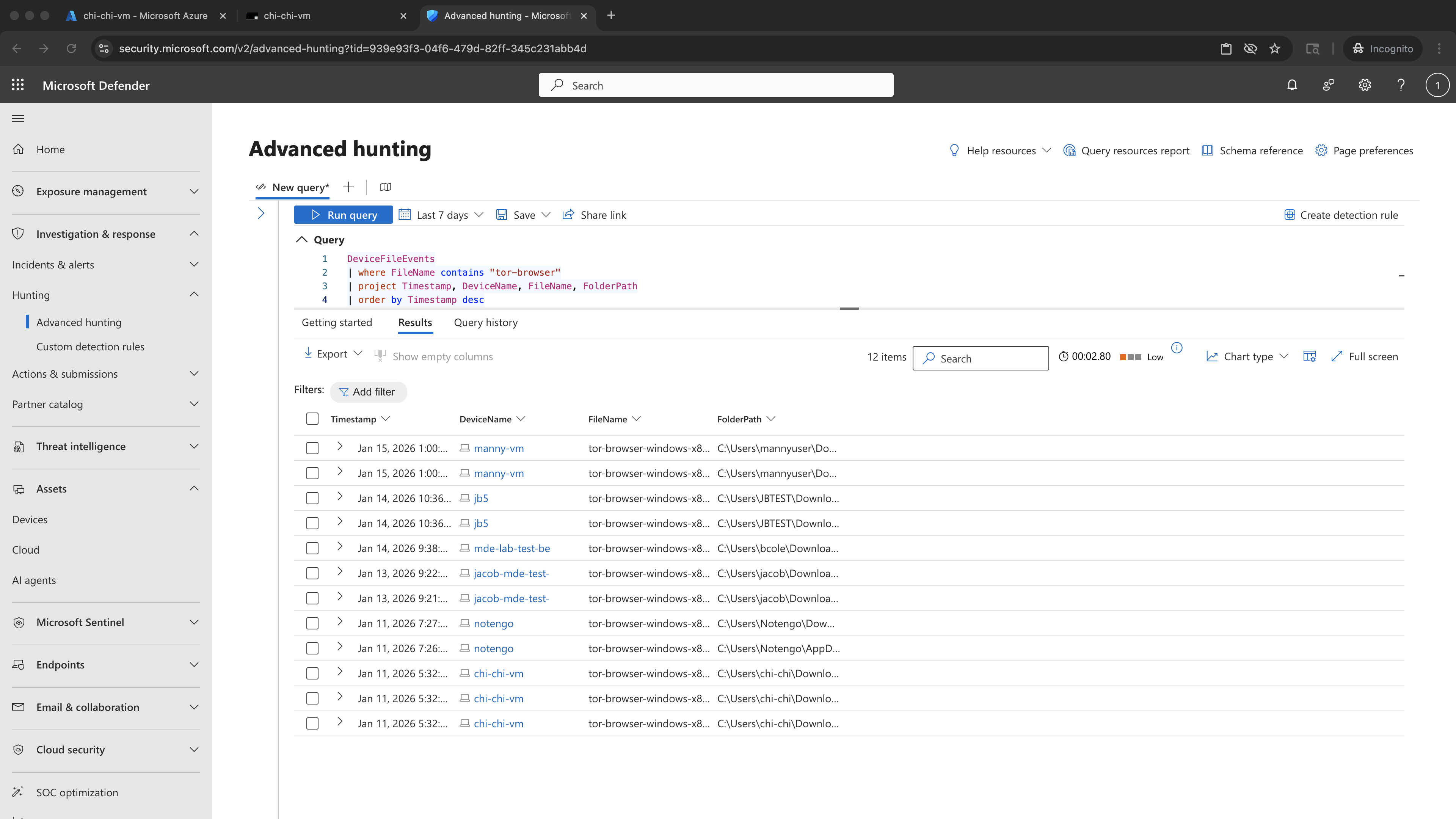
1.4 Confirm Installer Filename
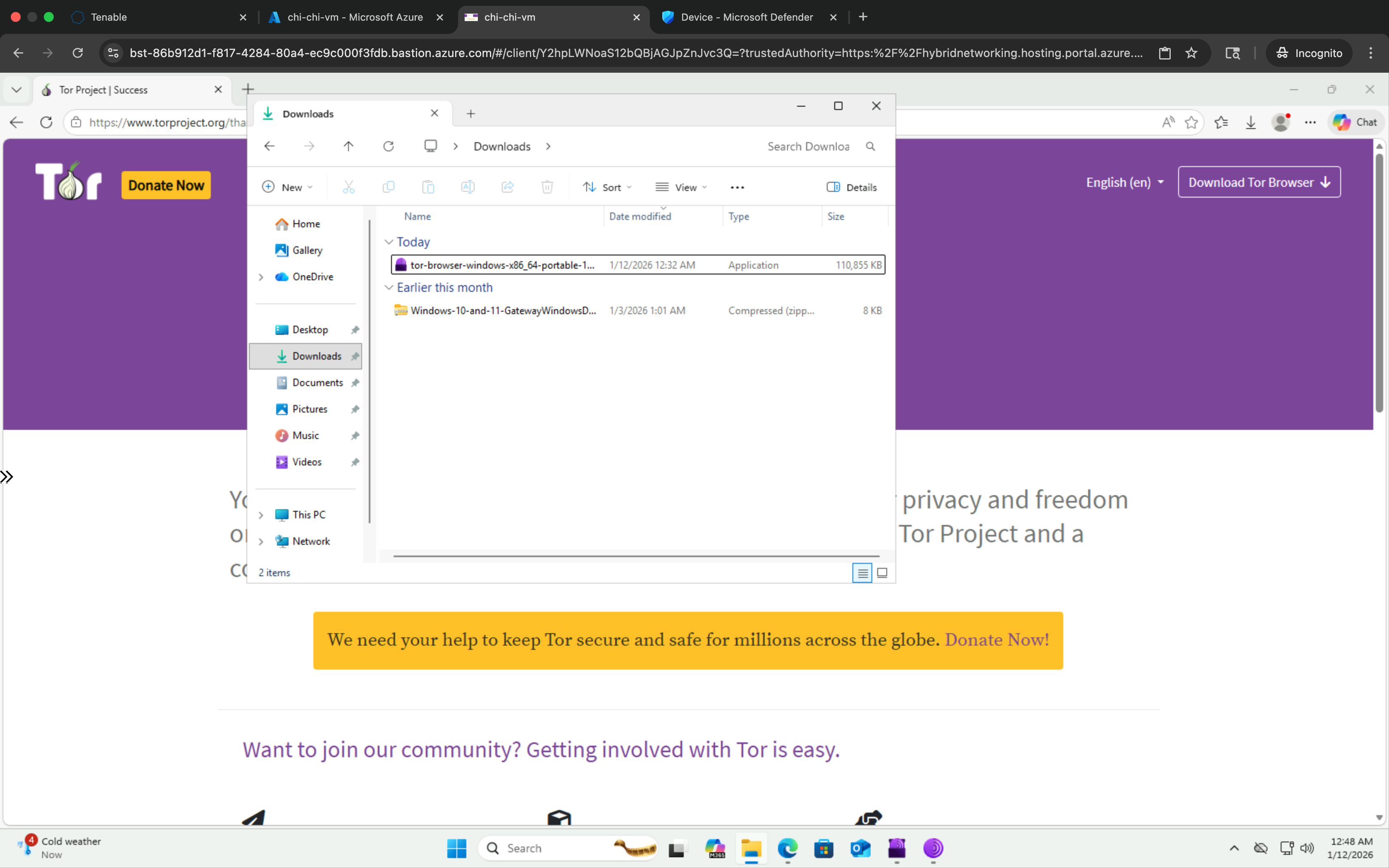
Identified and documented the exact TOR installer filename and version present on disk. Accurate filename validation is critical for precise KQL hunting and prevents false negatives when detecting installer-related file and process activity across the environment.
PowerShell Commands
# Verified installer filename in DownloadsPowerShell Evidence Screenshot
KQL Query
DeviceFileEvents
| where FileName contains "tor-browser"
| project Timestamp, DeviceName, FileName, FolderPath
| order by Timestamp desc
KQL Results Screenshot — KQL_DeviceFileEvents_TOR_Installer_Filename
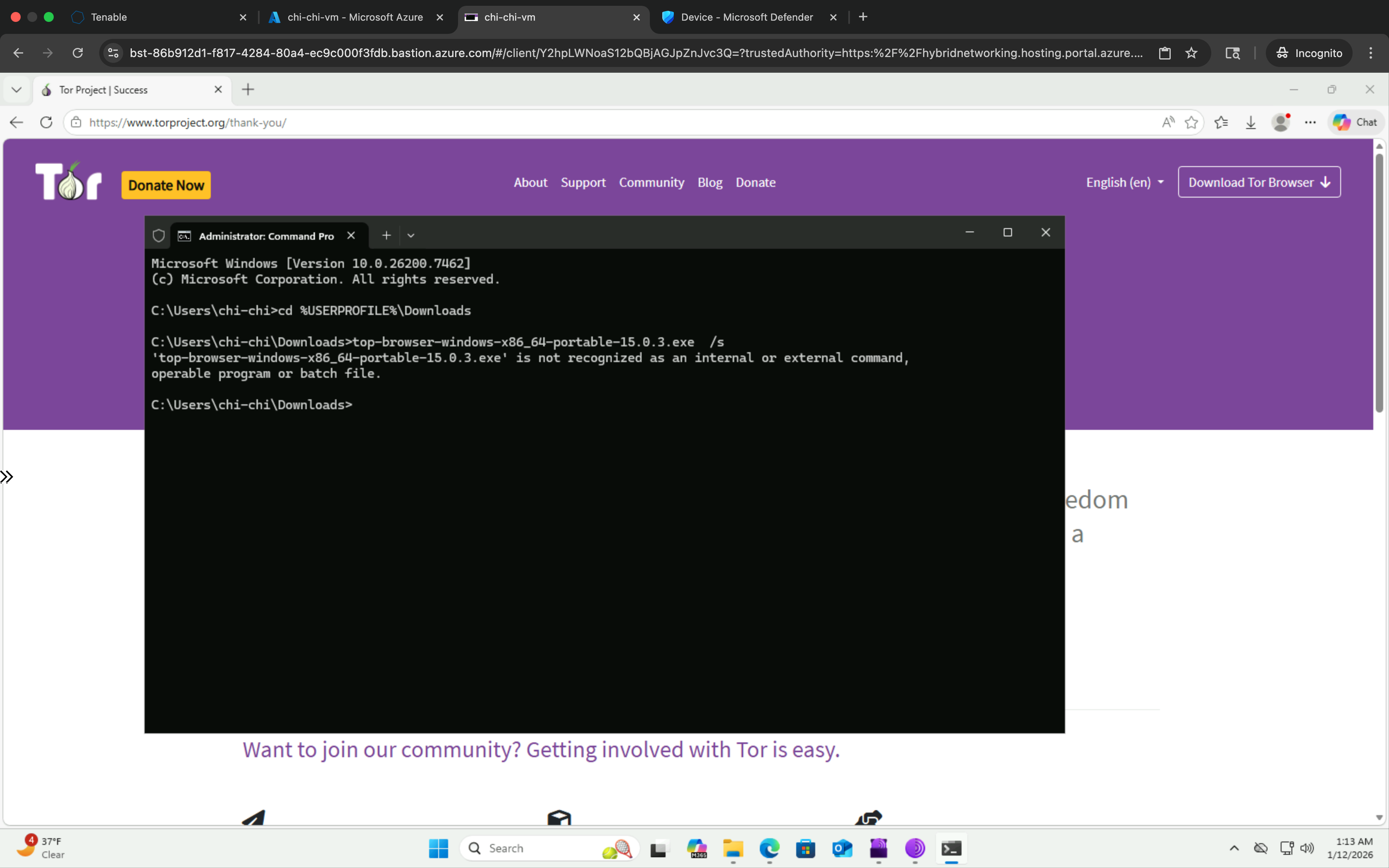
1.5 Execute Silent Install
Executed the TOR installer using silent installation flags to simulate stealthy, user-initiated software deployment. Silent installs are a common technique used to bypass user awareness and can indicate attempts to evade organizational controls.
PowerShell Commands
tor-browser-windows-x86_64-portable-15.0.3.exe /SPowerShell Evidence Screenshot
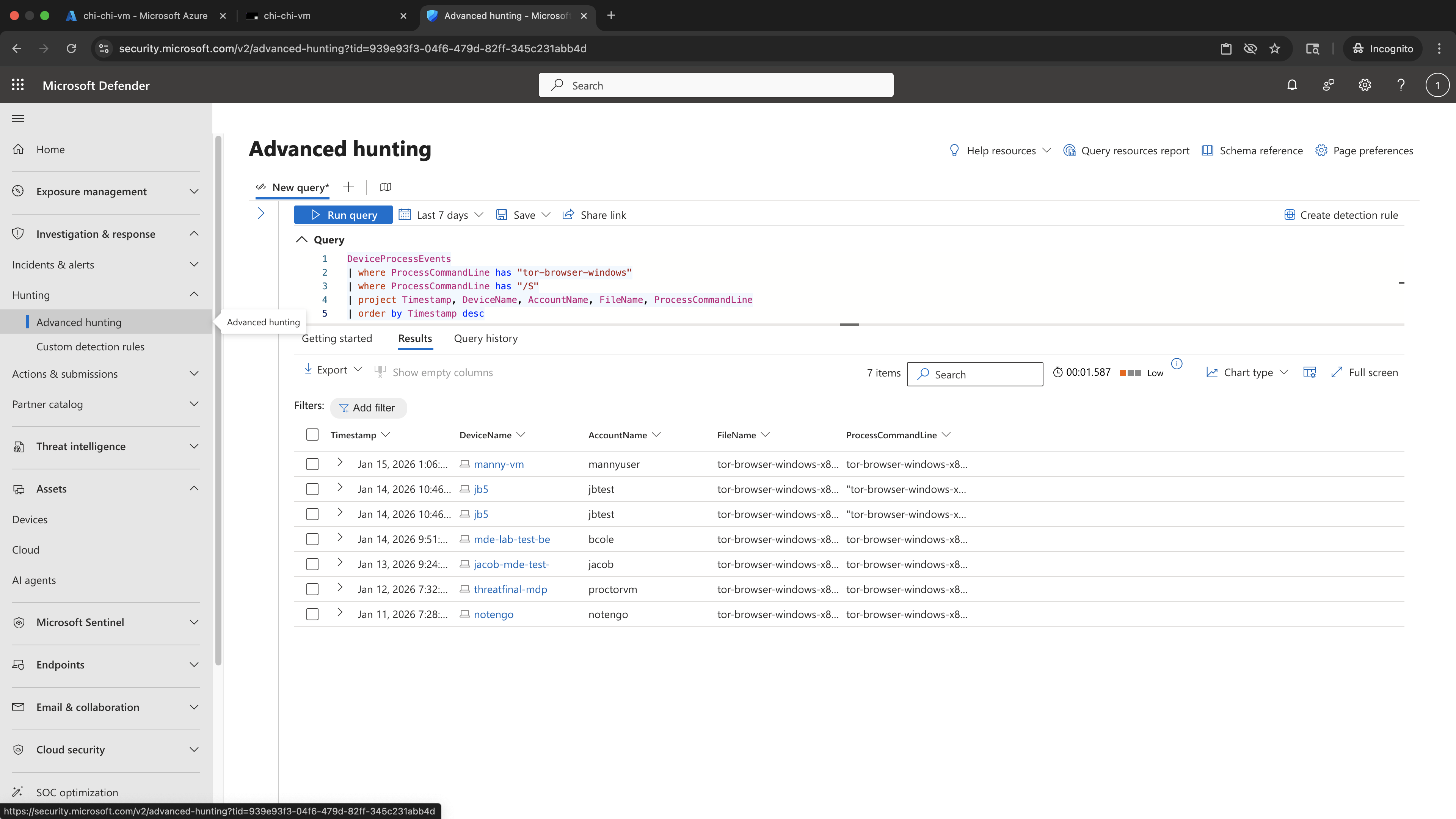
KQL Query
DeviceProcessEvents
| where ProcessCommandLine has "tor-browser-windows"
| where ProcessCommandLine has "/S"
| project Timestamp, DeviceName, AccountName, FileName, ProcessCommandLine
| order by Timestamp desc
KQL Results Screenshot — KQL_DeviceProcessEvents_TOR_Silent_Install
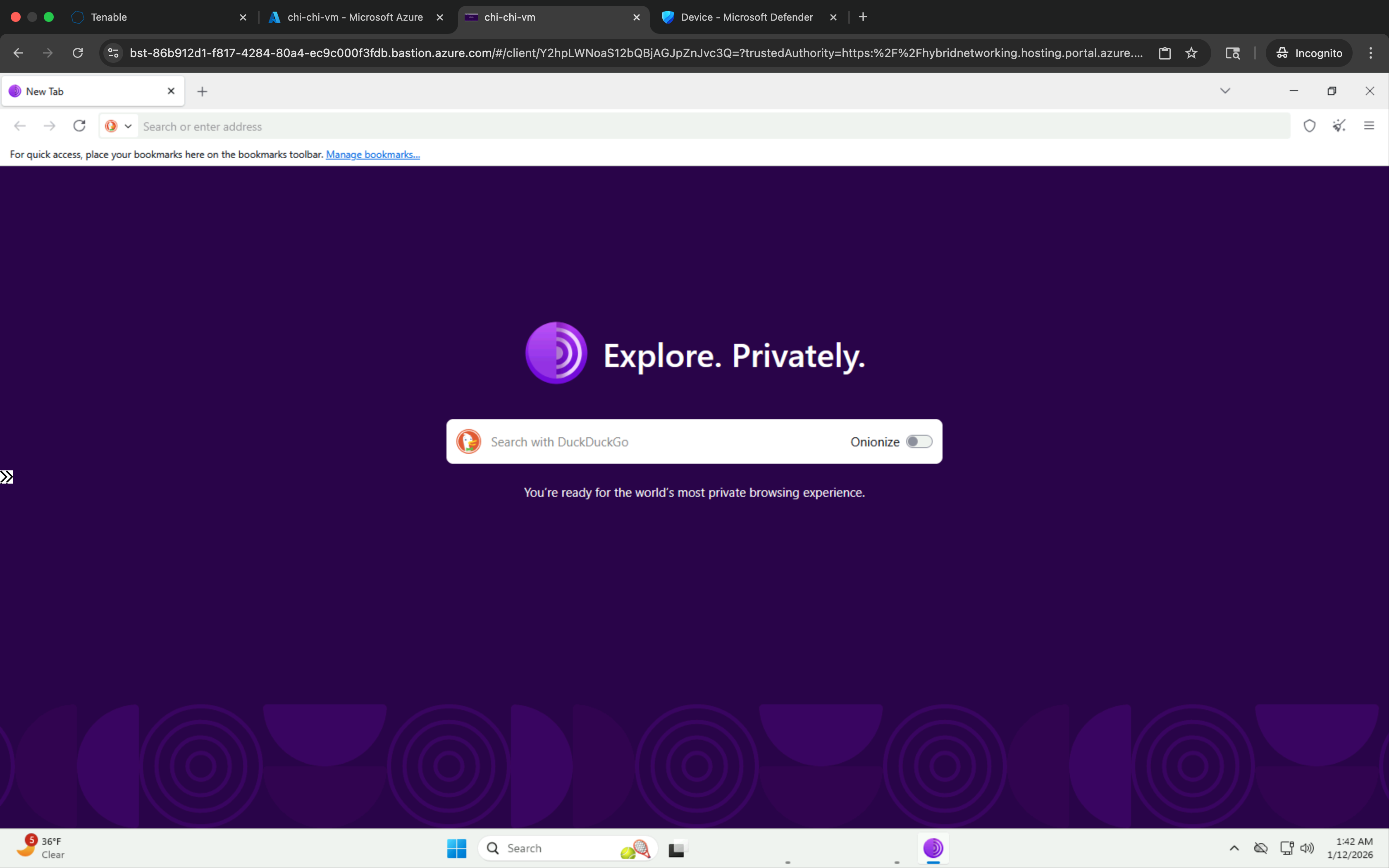
1.6 Launch TOR Browser
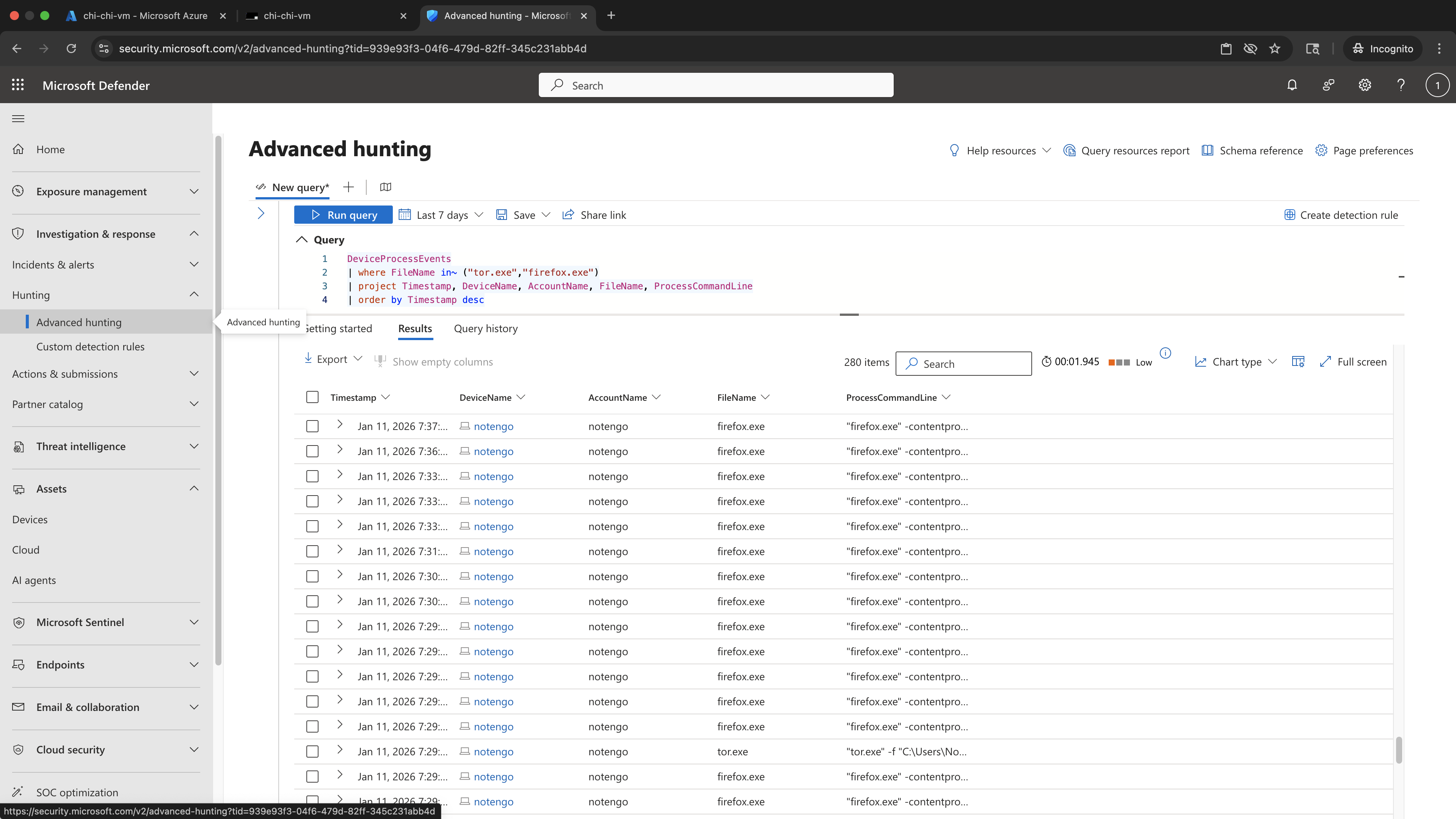
Launched the TOR Browser to generate process execution telemetry associated with anonymization tooling. This step validates Defender's ability to detect TOR-related binaries such as tor.exe and firefox.exe executing on the endpoint.
PowerShell Commands
# Launched TOR Browser frome the extracted folderPowerShell Evidence Screenshot
KQL Query
DeviceProcessEvents
| where FileName in~ ("tor.exe","firefox.exe")
| project Timestamp, DeviceName, AccountName, FileName, ProcessCommandLine
| order by Timestamp desc
KQL Results Screenshot — KQL_DeviceProcessEvents_TOR_Launch
1.7 Generate TOR Network Activity
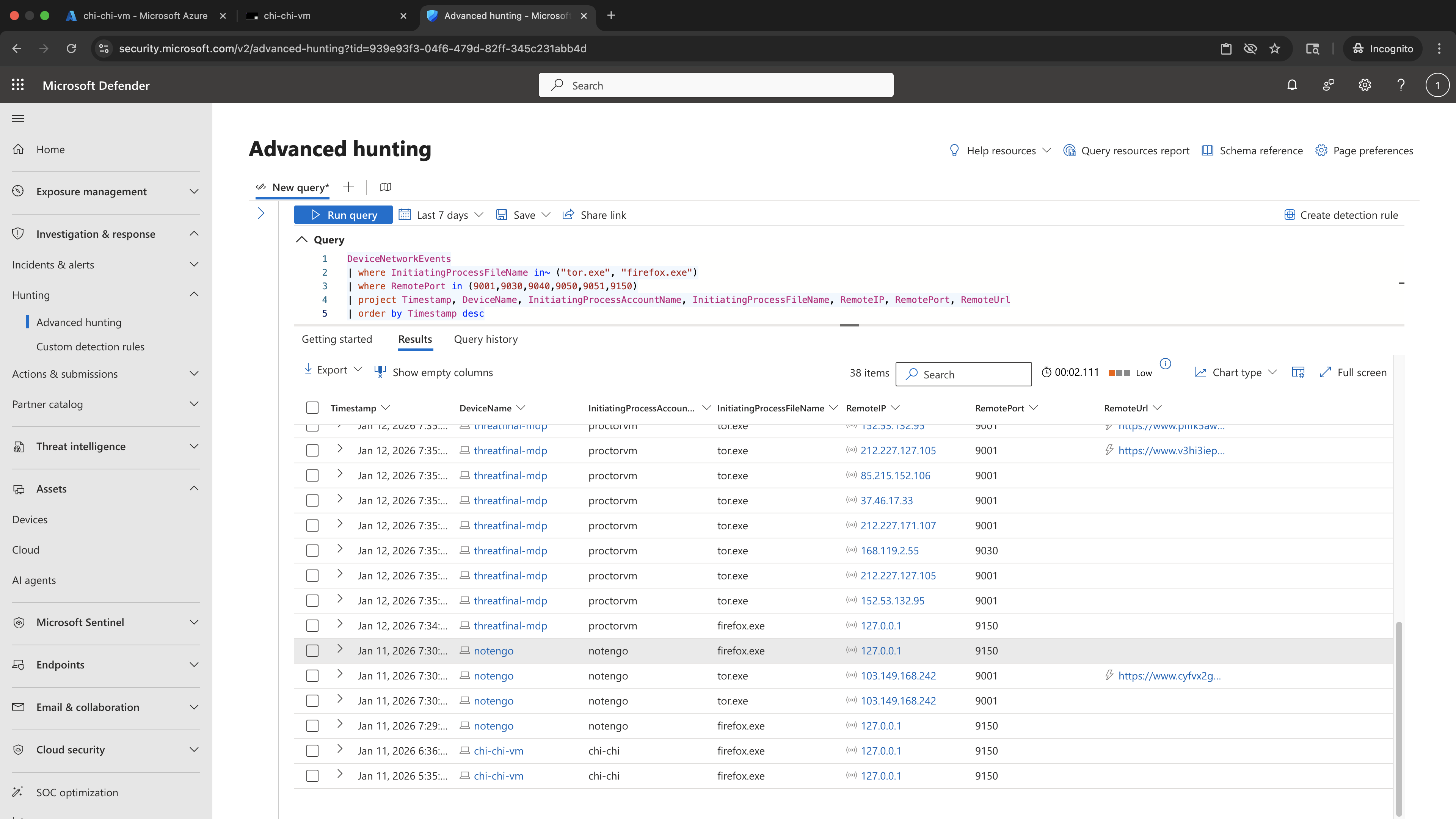
Generated anonymized outbound network connections by browsing through the TOR network. This activity produces network telemetry over known TOR ports and validates Defender’s visibility into anonymization-related communication patterns.
PowerShell Commands
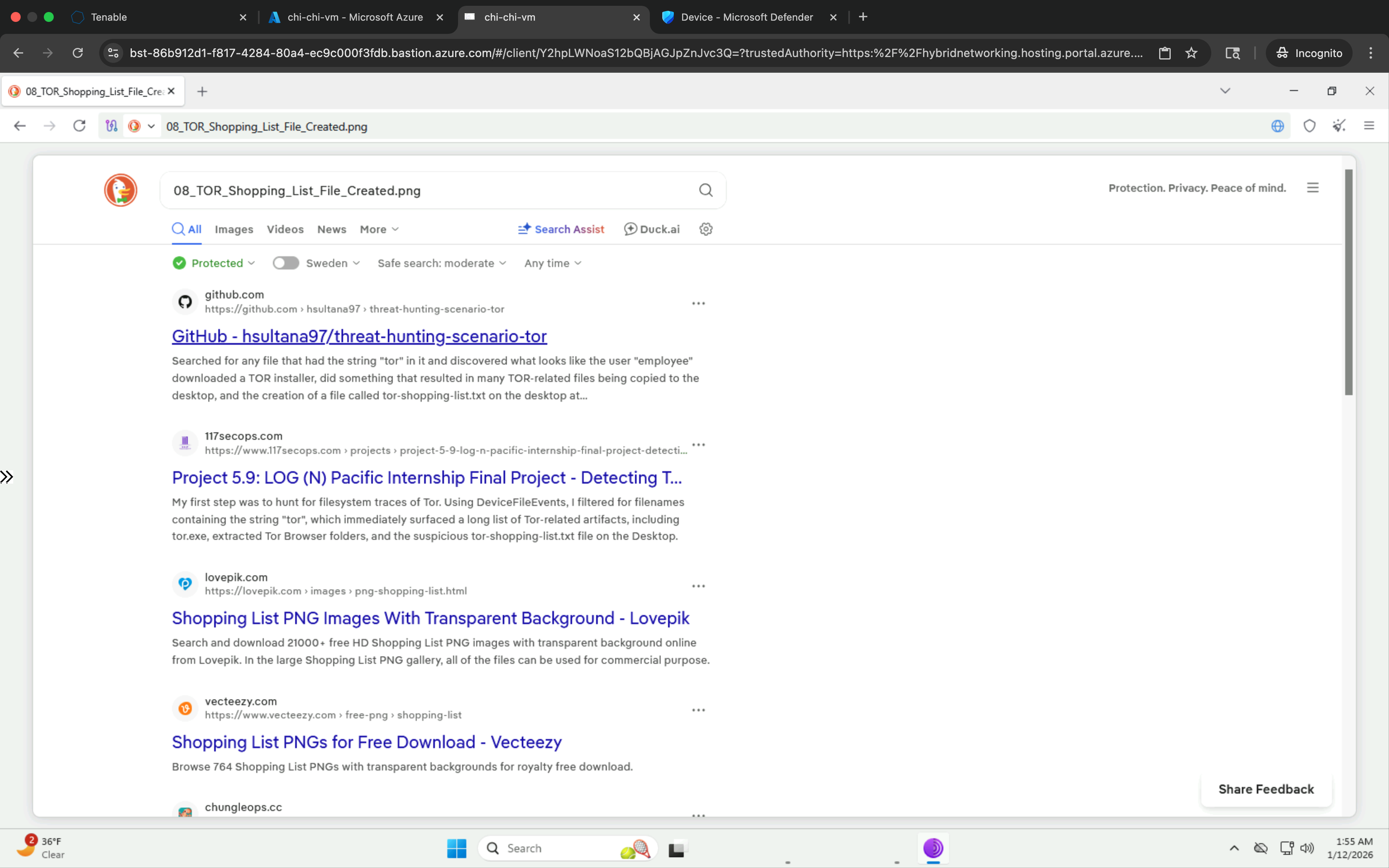
# Browsing activity through TORPowerShell Evidence Screenshot
KQL Query
DeviceNetworkEvents
| where InitiatingProcessFileName in~ ("tor.exe", "firefox.exe")
| where RemotePort in (9001,9030,9040,9050,9051,9150)
| project Timestamp, DeviceName, InitiatingProcessAccountName, InitiatingProcessFileName, RemoteIP, RemotePort, RemoteUrl
| order by Timestamp desc
KQL Results Screenshot —
KQL_DeviceNetworkEvents_TOR_Network_Activity
1.8 Create and Delete Suspicious File
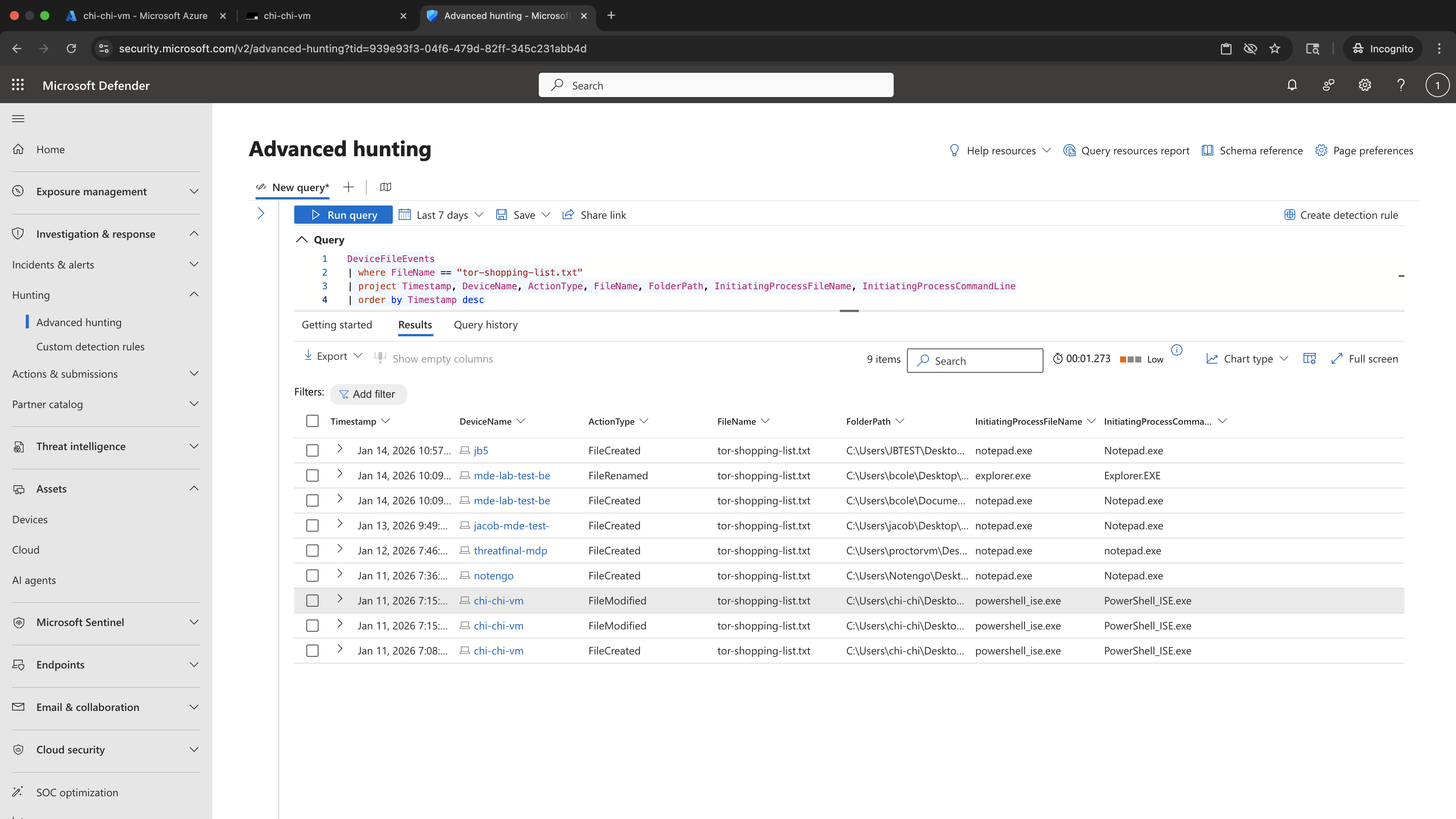
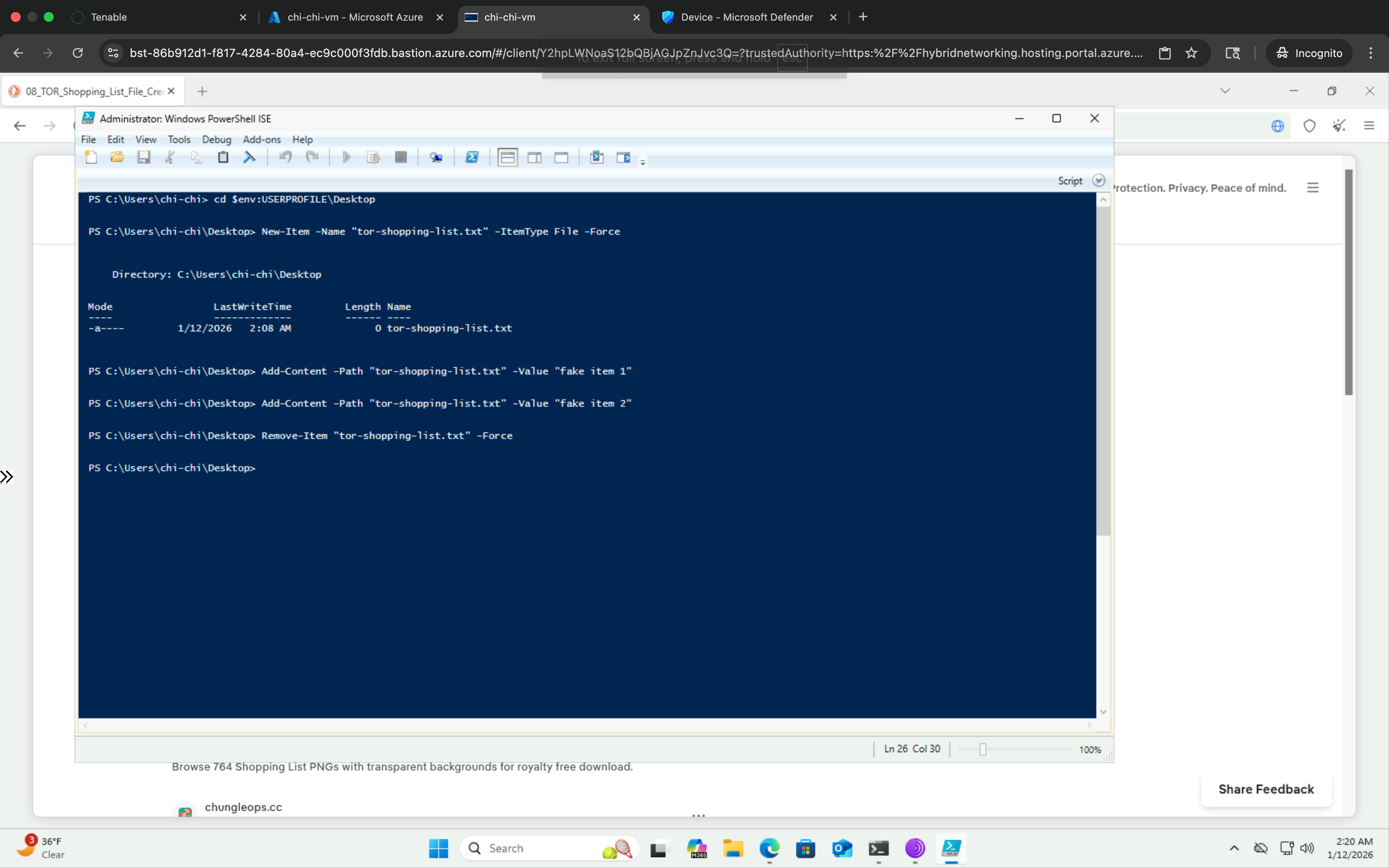
Created and deleted a suspicious file (tor-shopping-list.txt) to simulate artifact staging and basic anti-forensics behavior. This step demonstrates how Defender captures file creation, modification, and deletion events that may indicate attempts to obscure user activity.
PowerShell Commands
cd $env:USERPROFILE\Desktop
New-Item -Name "tor-shopping-list.txt" -ItemType File
Add-Content -Path "tor-shopping-list.txt" -Value "fake item 1"
Add-Content -Path "tor-shopping-list.txt" -Value "fake item 2"
Remove-Item -Path "tor-shopping-list.txt"
PowerShell Evidence Screenshot
KQL Query
DeviceFileEvents
| where FileName == "tor-shopping-list.txt"
| project Timestamp, DeviceName, ActionType, FileName, FolderPath, InitiatingProcessFileName, InitiatingProcessCommandLine
| order by Timestamp desc
KQL Results Screenshot —
KQL_DeviceFileEvents_Shopping_List_FileEvents